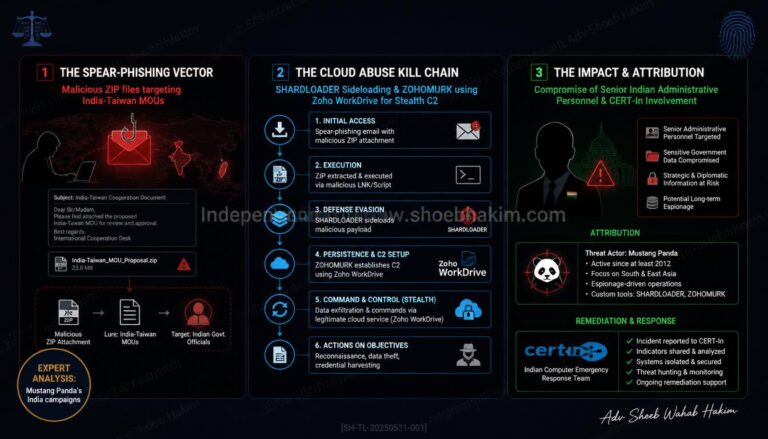
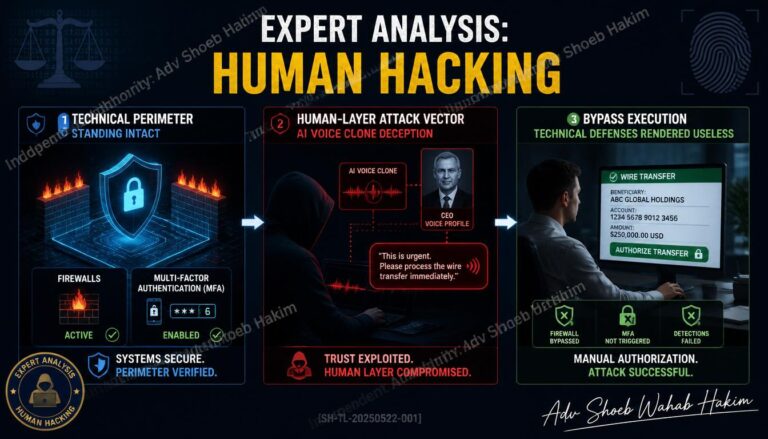
Scammers are increasingly leveraging artificial intelligence to craft phishing emails that are not only highly personalized but also remarkably convincing, which significantly complicates detection efforts.
These deceptive messages often imitate trusted entities such as banks or popular social media sites, frequently incorporating personal information to enhance their credibility and foster a sense of trust among recipients.
To safeguard against these threats, it is crucial to refrain from clicking on unknown links, sharing sensitive login credentials, or hastily responding to suspicious communications.
Implementing two-factor authentication can add an extra layer of security, and it is essential to report any emails that seem dubious.
Additionally, exercise caution when examining email addresses; many phishing attempts utilize addresses that closely resemble legitimate ones, often featuring minor misspellings or unusual domain names that can easily go unnoticed.
What should I do if I receive a suspicious email?

When you encounter an email that raises your suspicions, there are several proactive measures you can take to safeguard your information.
First and foremost, refrain from clicking on any links or downloading attachments included in the email, as these could potentially harbor harmful malware designed to compromise your system.
It’s also crucial to scrutinize the sender’s email address; pay attention to any subtle misspellings or odd domain names that may imitate legitimate organizations.
Additionally, never divulge personal information, such as passwords or financial details, in response to unsolicited emails, as this can lead to identity theft. To bolster your security, consider enabling two-factor authentication (2FA) on your accounts, which provides an added layer of protection against unauthorized access.
If you determine the email is indeed suspicious, report it to your email provider or IT department, as many services offer a “Report Phishing” feature to help combat these threats.
Once reported, make sure to delete the email from both your inbox and trash folder to prevent any accidental interactions.
Lastly, staying informed about prevalent phishing tactics and scams will enhance your ability to recognize and avoid such threats in the future.
What is two-factor authentication?

Two-factor authentication (2FA) serves as a vital security measure designed to verify the identity of individuals attempting to access their online accounts.
The process begins with the user entering their username and password; however, access is not granted immediately. Instead, the user must provide an additional piece of information, which falls into one of three distinct categories.
The first category is “Something You Know,” which may include an extra password, a personal identification number (PIN), or the answer to a security question.
The second category, “Something You Have,” encompasses physical items such as a smartphone, a security token, or a smart card that the user possesses.
Lastly, “Something You Are” refers to biometric data, including fingerprints, retina scans, or voice recognition.
By requiring two of these factors for authentication, 2FA significantly bolsters account security, making it exceedingly difficult for unauthorized users to gain access, even if they have obtained the password.
This method is an effective strategy for enhancing online safety and protecting sensitive information.
AIPoweredSecurity #PhishingAwareness #CyberSecurity #EmailSafety #ScamAlert #DigitalProtection #FraudPrevention #TwoFactorAuthentication #StaySafeOnline #TrustButVerify #CyberHygiene #ScamPrevention #OnlineSecurity #PhishingScams #EmailScams #DataProtection #IdentityTheft #TechSafety #SecureYourData #CyberAwareness TwoFactorAuthentication #2FA #CyberSecurity #AccountSecurity #OnlineSafety #DataProtection #IdentityVerification #SecureAccess #AuthenticationMethods #DigitalSecurity #PrivacyProtection #UserSafety #SecurityMeasures #BiometricSecurity #SmartAuthentication #PINProtection #SecurityTokens #PasswordSecurity #TechSafety #SecureYourAccounts